How to Trim a GIF Frame by Frame
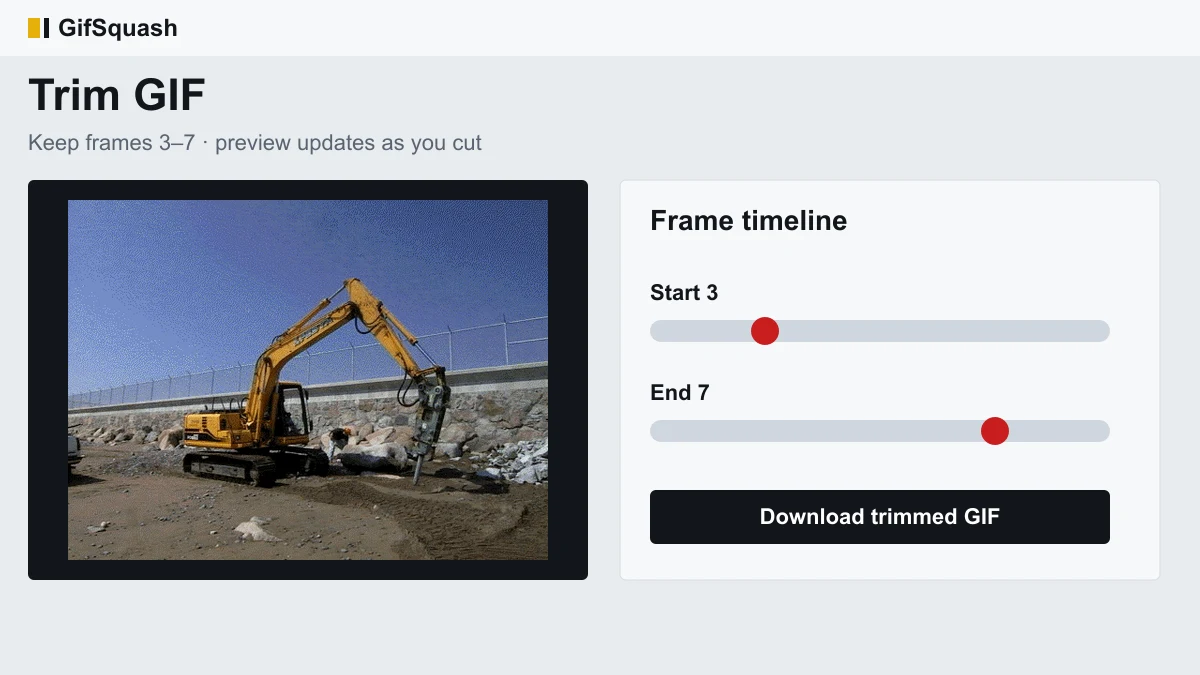
To trim a GIF, open the GifSquash Trim GIF tool, select your file, drag the start and end frames on the timeline, then download the cut. You can cut a GIF the same way when you only want the middle of a reaction loop — keep the frames you need, drop the dead air at both ends, and leave the original timing alone.
Why a GIF Is Not a Video: Frames, Delays and Loops
A video file stores motion as a continuous stream with a shared frame rate. A GIF does not. It is a stack of still images, and each image carries its own delay — often 80 ms, 100 ms, or an uneven mix. There is no master “timeline clock” the way an MP4 has. The player simply shows frame 1, waits that frame’s delay, shows frame 2, and so on until the loop flag sends it back to the start.
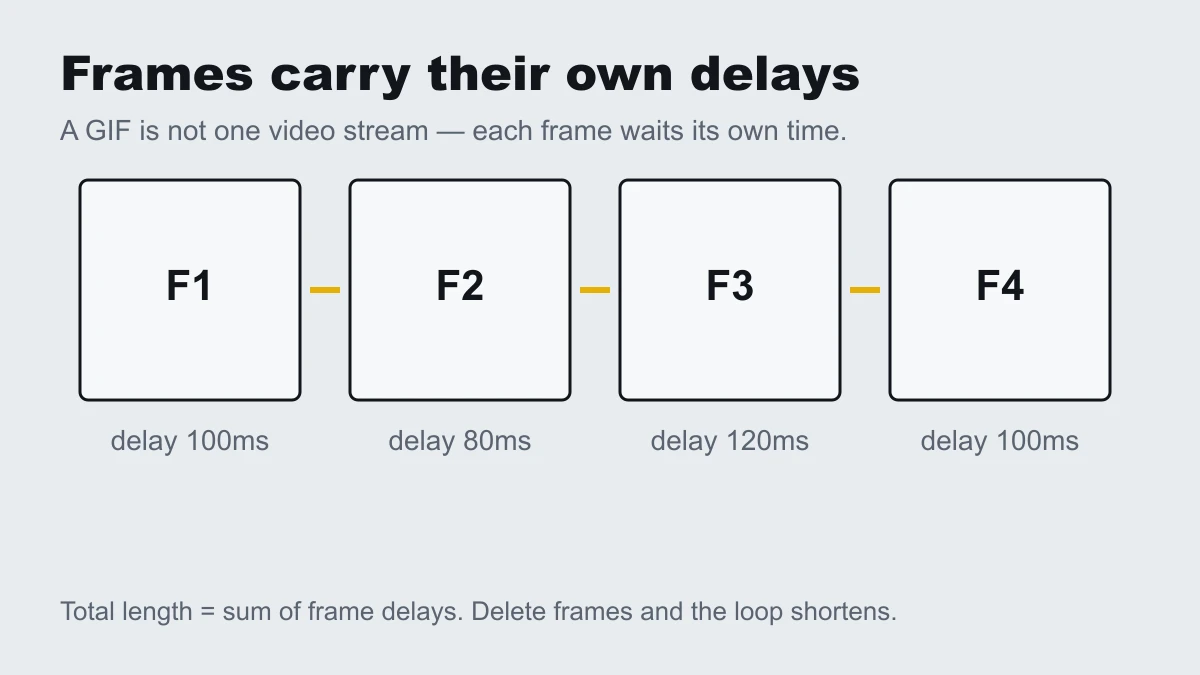
That is why a careless trim feels broken. If export flattens every delay to one number, a clip that used to breathe now snaps. If the loop count is dropped, a sticker that should repeat forever plays once. Understanding frames and delays is the difference between cutting a GIF and damaging it.
How to Trim a GIF in 3 Steps
- Select the GIF. Go to /trim-gif/ and tap Select GIF. On a phone this opens your photos; on desktop you can also drop or paste. We use one excavator sample throughout this guide so every screenshot shows the same file.
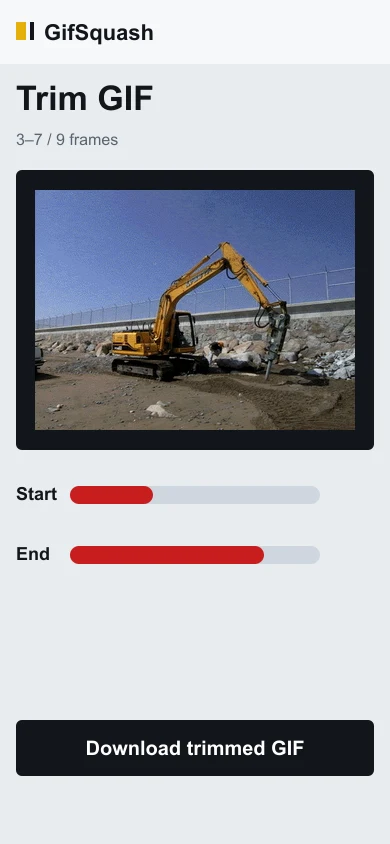
- Drag start and end. Move the Start and End controls until the preview shows only the section you want. The status line shows the kept frame numbers and duration while you scrub.
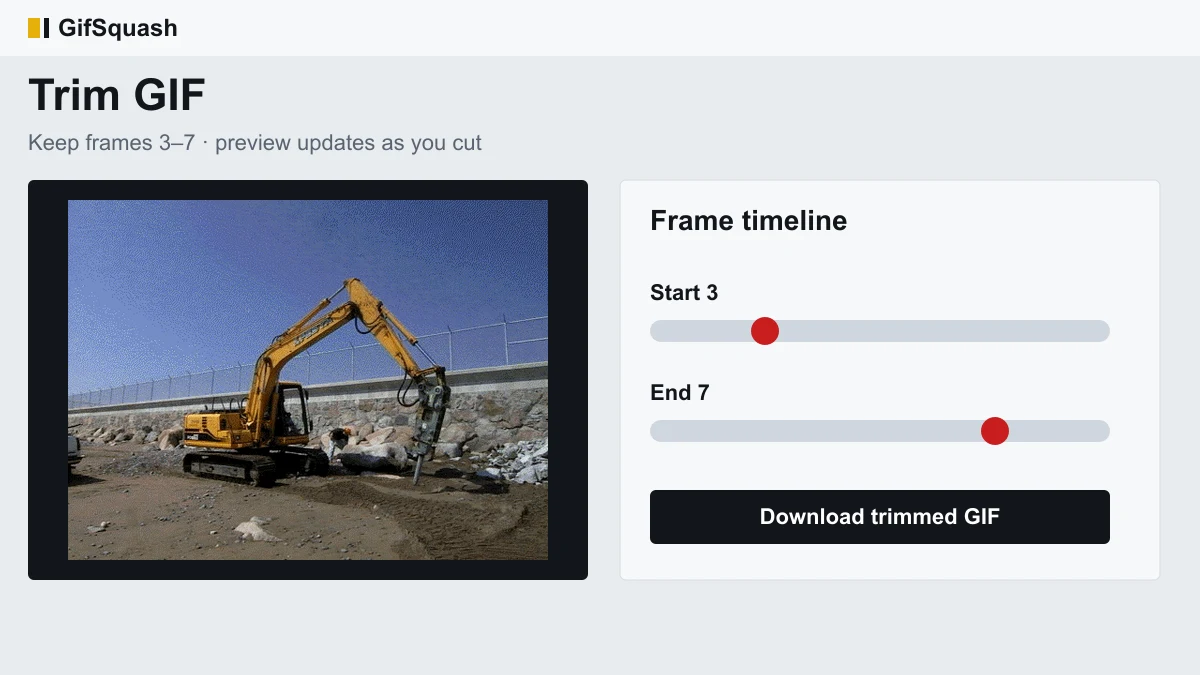
Example cut: keep frames 3–7 on a 9-frame loop so the idle lead-in and trailing pause are gone. - Download and check size. Tap Download trimmed GIF. Compare the new file to the original — fewer frames usually means a smaller download for Discord or chat apps.
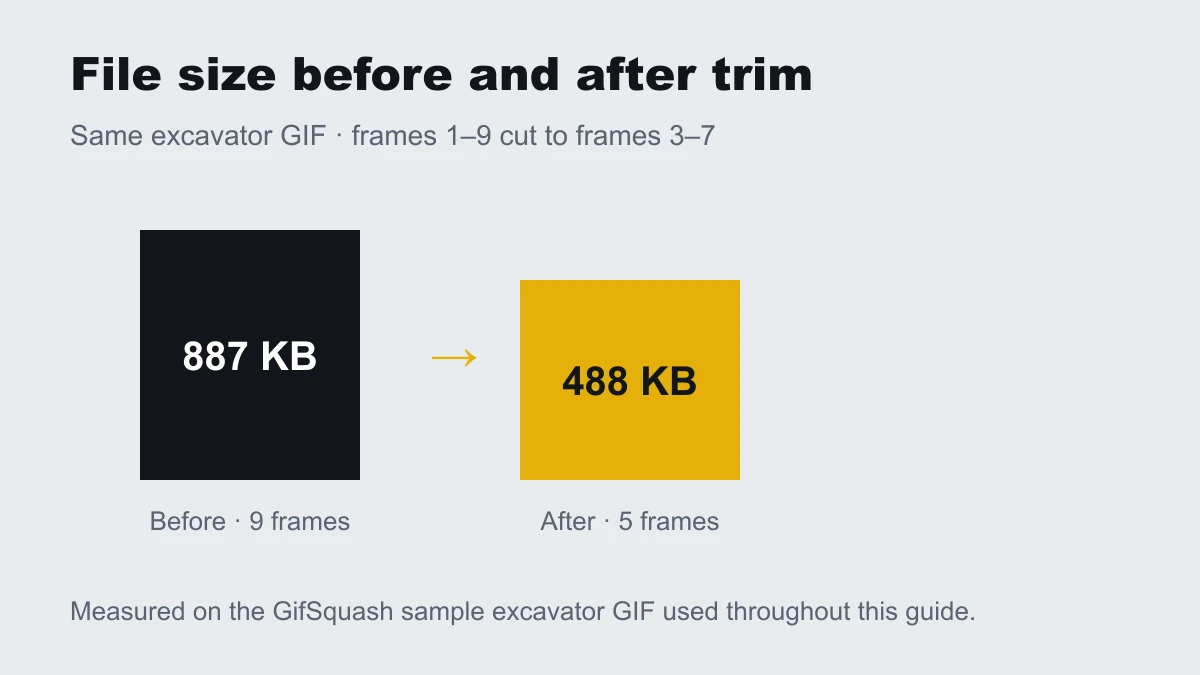
Same sample file: 887 KB (9 frames) → 488 KB (5 frames) after the cut above.
Frame-by-Frame or Timecode? Two Ways to Pick Your Cut
Frame selection is exact: “keep frames 12 through 40.” Timecode selection is approximate: “keep 0.8s to 2.4s.” Short meme loops are often under three seconds, so a half-second slider can skip past the punchline. When you need the wink or the last raised eyebrow, cut by frame numbers. Timecode is fine for long screen recordings where a few frames of error do not matter.
GifSquash exposes the frame indices on the timeline for that reason. You still see the running duration, but the source of truth is which frames remain — not a rounded second value.
Four Things That Break After You Trim
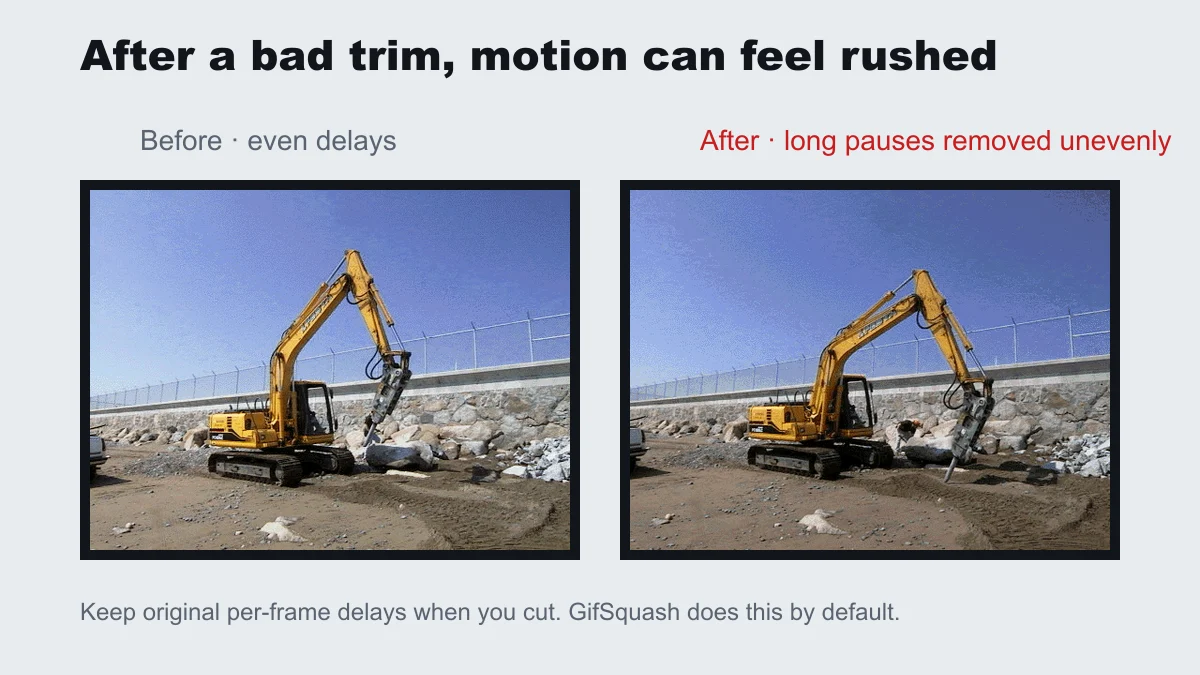
1. Playback feels faster. Export rewrote delays. Keep each remaining frame’s original delay so motion still eases the way it did before the cut.
2. The loop stops after one play. Some encoders drop the Netscape loop flag. Confirm the sticker still repeats in chat after download.
3. Transparent edges turn black. Disposal and transparency were baked into an opaque background. Prefer a trimmer that composites frames correctly before encode.
4. The file gets larger. Re-encoding with a weak palette or local color tables per frame can inflate size even after you cut. If that happens, try a tighter frame range first; a dedicated compressor page can follow later for hard size caps.
How to Trim a GIF on iPhone and Android
You do not need a separate app. Open gifsquash.com/trim-gif/ in Safari or Chrome, tap Select GIF, pick the file, drag Start and End, then download. Mobile browsers give less memory than desktops, so very large GIFs may stall — if they do, trim a smaller copy first.
FAQ
Does trimming a GIF make the file smaller?
Usually yes. Removing frames shortens the loop and often reduces file size. On our excavator sample, cutting frames 1–9 down to 3–7 dropped the file from 887 KB to 488 KB.
Will trimming reduce GIF quality?
Trim itself only removes frames. Re-encoding can change colors slightly because GIF palettes are limited. GifSquash keeps per-frame delays so timing quality stays intact.
Can I trim a GIF without uploading it?
Yes. GifSquash runs in your browser, so the file stays on your device while you cut frames and download the result.
How do I delete only one frame from a GIF?
Set Start and End so the unwanted frame sits outside the kept range, or trim around it in two passes if it sits in the middle. Middle-frame deletion is a separate split workflow.
Why does my GIF play faster after I trim it?
Some tools rewrite every delay to one value when they export. That makes motion feel rushed. Keep the original delay on each remaining frame — that is the default in GifSquash.
Can I trim a GIF larger than 20 MB?
It depends on your browser memory. Many phones struggle above ~20 MB. On desktop, larger files often work but take longer to decode. Try a shorter clip first if the page freezes.
Next steps
After you cut the range you want, flip the motion with Reverse GIF if the punchline lands better backwards. Both tools share the same browser-side engine, so you can trim first, reverse second, and keep shipping stickers without another upload form.